Securely browse, search, download, upload, and manage the files on your own Windows PC from any browser. Install one small app, sign in, and your computer becomes your private cloud. Your files are never copied to anyone's servers. And when you choose, your AI agents can plug in too, only with your permission, and only what you allow.
No servers to set up, no storage to buy. Just three steps.
Run one small app on the Windows computer you want to reach. It sits quietly in the tray.
Open folderbird.com on any phone, tablet, or computer — nothing to install where you’re viewing. Your PC appears, online and ready.
Search, preview, download, upload, or manage your files, straight from the browser.
Forgot a document on your home PC? Open Folderbird, pick that computer, search the file name, preview it, and download it securely, from wherever you are.
Unlike Dropbox or OneDrive, Folderbird never syncs your files to someone else's servers. They stay on your PC; Folderbird just opens a secure, live door to them when you need it.
Connect Folderbird to Claude, ChatGPT or other AI agents so they can search and fetch only the files you approve, straight from your PC, never by uploading your whole drive to a third‑party cloud. It speaks MCP and a clean REST API, and every bit of access is yours to grant or revoke.
Your files, your devices, straight from a browser.
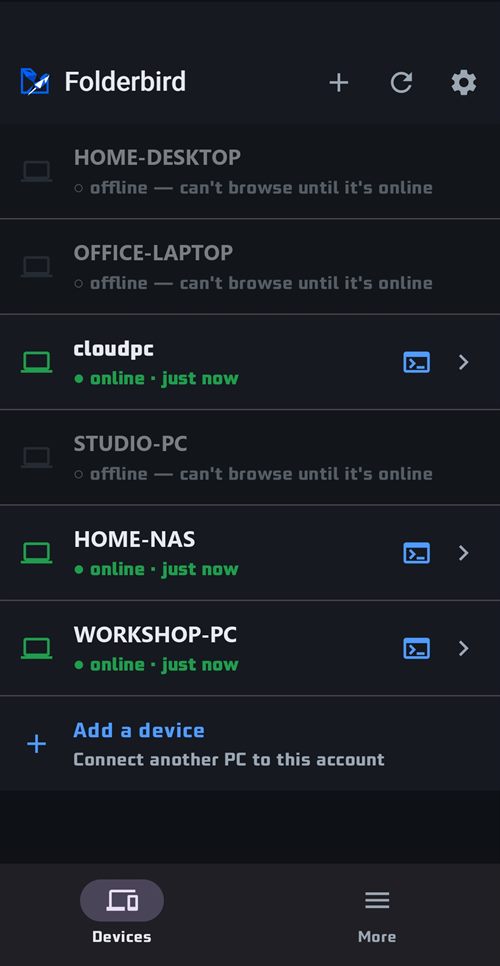
Every PC you've signed in shows up with a live online indicator. Jump into any one straight from the browser, or hand it to an AI agent.
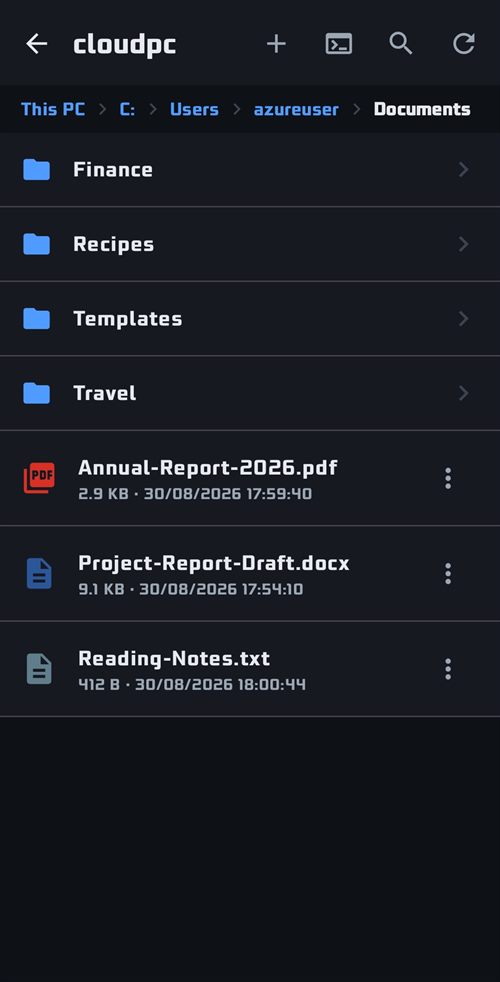
The same tree you would see sitting at that machine — drives, folders, sizes and dates — served live from the PC, with nothing copied anywhere.
Everything you'd do sitting at that computer, from a browser anywhere. Pick one to see it.


Send files from any browser straight into the folder you're viewing.
Real screens from the app. The device, the folders and the files are examples.
The rest of this section is what any good file manager does. These two are why people stop using a sync folder.


One box searches every machine you have signed in — by file name, or by what is written inside the file. The PC does the looking; nothing is indexed off it.


Open a live command line on any of your machines, cmd or PowerShell, straight from the browser. Run anything, watch the output stream back, and download the transcript.
Folderbird is a door to the computer you already own, not a company holding your files. The security model is the whole point.
Turn on two‑step verification and adding a new PC to your account needs a one‑time code as well as your password.
Real file paths are encrypted before they ever touch a URL. They never show up in links, server logs, or history.
Every device is signed in by you. Apps and AI agents get scoped, revocable keys, and only see what you grant.
OAuth 2.1 for the AI connector, per‑key device binding, and a full audit log of every command run.
An agent can browse and fetch, but only the devices and actions your key permits, and only when you ask.
Kill an API key or disconnect the connector instantly. Access stops the moment you say so.
Install the small app once, then reach your files from any browser, securely and ready for your AI agents.